Creative Teachers Tech Blog
Browse Categories: Community, Engagement, Resources
All about user communities and discussions.

Image generated using ChatGPT by OpenAI
A website that’s easy to update helps you move faster, keep content fresh, and maintain creative control. Learn how small website tweaks can help CEOs, coaches, and course creators capture opportunities and build trust with their audience.
Strong training isn’t just better content, it’s connection. A purposeful community boosts retention, increases lifetime value, and strengthens your authority. Even a simple private group or monthly call can turn a one-time course into lasting growth and recurring revenue.

Image generated using ChatGPT by OpenAI
Buyer’s remorse can derail student motivation, but quick wins can stop it in its tracks. Learn how to design small, fast, confidence-building successes into your courses so students feel progress immediately, trust your process, and stay engaged. Simple shifts in sequencing and early activities can lead to better retention, fewer refunds, and happier learners.

Image generated using OpenAI’s DALL·E via ChatGPT.
Batching and scheduling your social media can turn a time-draining chore into a simple weekly habit. In this Founder Lesson, we explore how social posting tools help creative educators publish everywhere at once, plan ahead, and reuse content that already works. The result is more consistency, less stress, and a marketing system that fits your real life.

Image generated using ChatGPT by OpenAI
Enrollment doesn’t start with a pitch — it starts with trust. This lesson breaks down how to sell your online courses by connecting first, understanding your students deeply, and showing your expertise through real value (not pressure). If you want more enrollments with ease and integrity, build the relationship first and let the offer feel like the natural next step.
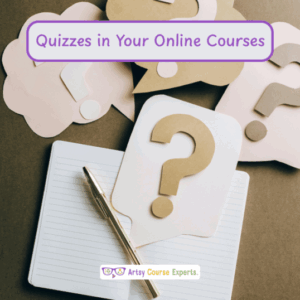
Photo by Leeloo T. on Pexels
Boost your online courses with engaging quizzes! Learn where to place them, the types of questions to use, and how to structure them for maximum impact. Ideal for creative teachers and coaches aiming to enhance their membership communities or coaching websites. Discover key insights for better course design. Tune in!
Photo by Laura C. on Unsplash
Struggling with answering student questions in your online courses? Learn effective techniques and SOPs to streamline your process, improve student satisfaction, and enhance efficiency. Perfect for creative professionals managing online courses, memberships, or coaching websites. Boost your e-learning game today!
Photo by: Mohamed R. on Pexels
Learn how to use slide templates to streamline content creation and enhance student learning experiences. Learn how templates save time, ensure a professional look, and make course material more accessible.
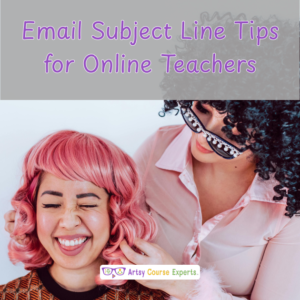
Photo by RDNE S. on Pexels
Email subject lines are those headlines in your emails that hook your readers and get them to open and read your emails. That’s the first step to converting your readers to your students.
Photo by: Zhifei Z. On Unsplash
A well curated website footer is more than just a design, it helps site visitors navigate your website, gives more information about your website, assists your visitors follow you on social media, and overall improves your sites SEO