Photo By Artsy Course Experts
Teaching Content Using A Picture-In-Picture Layout
Teachers and students can benefit from lessons with large primary content as well as seeing the teacher in a smaller secondary video window called Picture In Picture.

Servers, DNS, Integration, Email, Payment, SEO, Mobile Support
Teachers and students can benefit from lessons with large primary content as well as seeing the teacher in a smaller secondary video window called Picture In Picture.
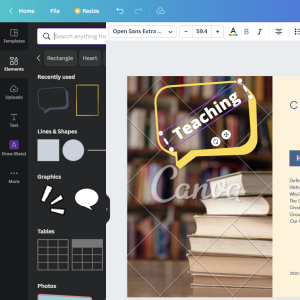
Canva is a free, simple, and powerful tool that creative teachers can use to create course graphics and illustrations for your lessons and materials.

Students need a way to continue a course where they left off. Which continue lesson features do you support?
We’ve all experienced when the website we need is unavailable due to maintenance or some other unexpected error. This can be really frustrating for teachers and students. Whether planned maintenance or unplanned outage, this article will give you a bunch of tips for your course.
Use course not completed email reminders to improve student course completion rates and indirectly sell more courses to current students and future buyers.

These are our favorite service providers that can help you with specific course creation tasks like editing and ads.
A welcome video helps new students with your creative course. It's the very first few minutes of your students spending personal time with you, just like the exciting first few minutes of meeting the teacher for your new class.

Search Engine Optimization (SEO) is very important for your creative online course. Using SEO best practices on your course sales page will help your course show up for your specific students.

Course surveys are used to collect customer information so that you can learn about their goals and how they benefited after taking your course. You can also use surveys to create better sales pages and improve your course content and delivery.

These are our favorite gear to help you create your courses. These are things like lights, tripods, video cameras, microphones, and backdrops.