Creative Teachers Tech Blog
Browse Categories: Curriculum/page/3
Curriculum, Content, Pedagogy, Teaching, Modality, Lessons

Photo by Leigh C. on Unsplash
Use microlearning to help your students learn and use specific skills quickly and without any distractions. We'll go over the benefits and how to actually structure your micro lessons.
Photo by Hanson L. on Unsplash
Learn how the ADDIE instructional model can help you design effective online courses for your creative students.
Photo by BlackRabbit on Unsplash
Learn how to use captions and subtitles with your video lessons to help students with accessibility and languages.
Photo by Taha B. on Unsplash
Course creators don’t have to build and manage online courses all by themselves. In this lesson, you’ll learn about different kinds of outsourcing to help you offer amazing courses while saving time and money.
Teachers that create and use online course resources like guides help students faster and earn more money. This article summarizes how to create a guide for your course.
Photo by Donald G. on Unsplash
Are your students feeling overwhelmed with dozens of online lessons all at once? If so, drip-feeding your content might be the key to helping your students learn in easy to digest steps instead of drowning in content.,
Students are often disoriented for the first few minutes of a new lesson, but using transitions at the end of each lesson can really help students transition.

Photo by Reuben J. on Unsplash
Students need a way to continue a course where they left off. Which continue lesson features do you support?
Photo by Romain V. on Unsplash
Quizzes are a fun way for students to reinforce important online course knowledge while also breaking up a series of often passive online lessons.
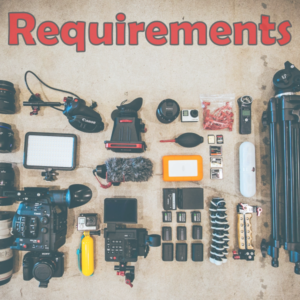
Photo by Jakob O. on Unsplash
Course requirements help your customers know what they need in terms of computer devices, software, physical tools, accessories, and skill levels before buying your creative course.