Tips to Plan, Build, Manage, and Grow Your Creative Training Business
Browse Categories: Social-video, Production/page/4
Cameras, Mics, Lights, Editing, Decks, Tools, Audio, Video

Photo by Brooke C. On Unsplash
Everyone has a unique set of skills and talents that come naturally to them. In this lesson, you’ll learn how the theory of multiple intelligences empowers teachers to use a range of methods when educating students.

Photo by Rupixen on Unsplash
It’s important to know how to turn customers into students when they visit your website, course, or community and pay, check out and buy the service you offer. In this article, we’ll review some possible problems and things you can do to improve and maximize your sales on your checkout page.

Photo by Jon T. On Unsplash
The Descript video editing tool is one of the most powerful tools you can use as an online course creator to fix your video lessons without hours of editing or rerecording.
Photo by Tamanna R. Pexels.com
Bloom’s Taxonomy is a popular framework that traditional and online teachers can use to develop high-quality courses. In this lesson, we'll explain it and guide you on how to teach an awesome creative course!
Photo by Hanson L. on Unsplash
Learn how the ADDIE instructional model can help you design effective online courses for your creative students.
Photo by BlackRabbit on Unsplash
Learn how to use captions and subtitles with your video lessons to help students with accessibility and languages.
Photo by Jeremy B. on Unsplash
This article helps online course creators learn how selling services with Monthly Recurring Revenues (MRR) like communities or coaching can help stabilize monthly income and grow total earnings.

Photo by Roman K. on Unsplash
Creative students want to hear updates from teachers about new courses, resources, and tips, but sometimes teachers forget to update their prior students.
Photo By Artsy Course Experts
Teachers and students can benefit from lessons with large primary content as well as seeing the teacher in a smaller secondary video window called Picture In Picture.
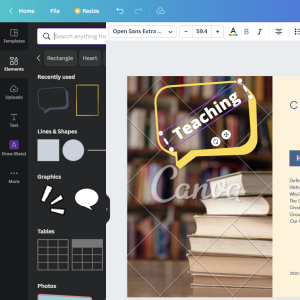
Photo By Artsy Course Experts
Canva is a free, simple, and powerful tool that creative teachers can use to create course graphics and illustrations for your lessons and materials.
