Creative Teachers Tech Blog
Browse Categories: Technology/page/6
Servers, DNS, Integration, Email, Payment, SEO, Mobile Support

Photo by 200degrees on Pixabay.com
After you create your online course, the next step is to get prospects to engage with it and ultimately purchase it. Creating an ad is one of the best ways to market it to your students. This lesson teaches you what you need to create an ad.

Photo by Pixabay
Stripe is a popular payment service provider and is often used by the biggest online trainers. It lets you accept payment from various methods and offers lower fees and many more features than other transaction platforms.

Photo by Leigh C. on Unsplash
Use microlearning to help your students learn and use specific skills quickly and without any distractions. We'll go over the benefits and how to actually structure your micro lessons.
Photo by BlackRabbit on Unsplash
Learn how to use captions and subtitles with your video lessons to help students with accessibility and languages.
Photo by Taha B. on Unsplash
Course creators don’t have to build and manage online courses all by themselves. In this lesson, you’ll learn about different kinds of outsourcing to help you offer amazing courses while saving time and money.

Photo by Bruce M. on Unsplash
As an online teacher, how can you answer your many students in a fast, accurate, and detailed way? This article goes over different options to provide great support while also thinking about time and profitability.
Photo by Julián A. on Unsplash
Help your students get into flow and watch multiple lessons easier by using course Auto Play and Auto Complete features.
Photo By Artsy Course Experts
Teachers and students can benefit from lessons with large primary content as well as seeing the teacher in a smaller secondary video window called Picture In Picture.
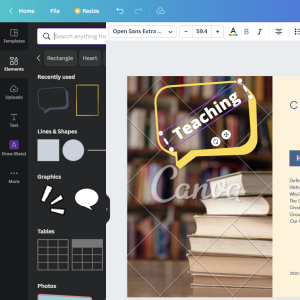
Photo By Artsy Course Experts
Canva is a free, simple, and powerful tool that creative teachers can use to create course graphics and illustrations for your lessons and materials.

Photo by Reuben J. on Unsplash
Students need a way to continue a course where they left off. Which continue lesson features do you support?
